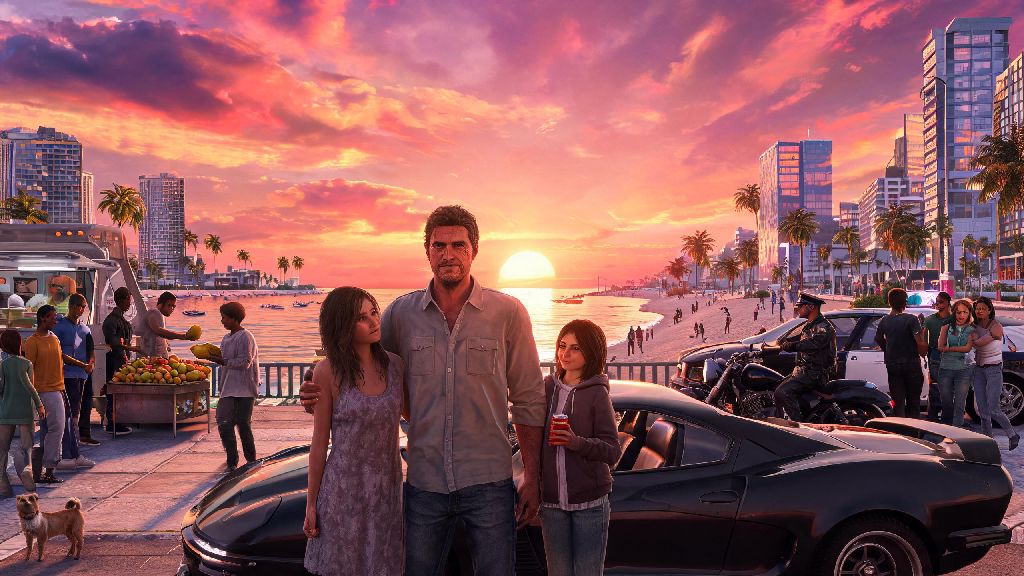
If you’re an Xbox Series S owner waiting patiently for Rockstar’s next flagship open world title, you’ve almost certainly asked yourself will GTA 6 run on Xbox Series S at some point over the last year. The budget next-gen Xbox has sold over 25 million units to date, making it one of the most popular consoles for casual and budget-focused gamers, so it’s no surprise players are worried they’ll be left behind when the biggest game of the decade drops. We’ve pulled together every official announcement, developer leak, and industry analysis to answer that question clearly, plus break down what kind of performance you can actually expect if you plan to play GTA 6 on Microsoft’s smallest next-gen console.
Will GTA 6 Run on Xbox Series S? Official Confirmation and Leaks
Rockstar Games put most compatibility fears to rest in its official 2023 launch trailer reveal, when it explicitly listed Xbox Series X|S as launch platforms for GTA 6 alongside PlayStation 5. That means the short answer to your question is a resounding yes, you will be able to play GTA 6 on your Xbox Series S on day one of its launch. But there are a lot of caveats to that confirmation that most casual players miss, especially when it comes to how the game will run compared to its more powerful sibling, the Xbox Series X. Some early developer leaks from 2024 suggested the studio was struggling to hit performance targets on the Series S, but Rockstar has since clarified that all supported consoles will get a polished, stable experience at launch. Xbox Series S is the only lower-cost next-gen Xbox that will get a native GTA 6 build, so you won’t have to rely on backward compatibility or cloud streaming to play if you own one. It’s worth noting that Xbox One owners won’t get a native version of the game, so the Series S is the lowest-spec Xbox console that will support GTA 6 natively.
Expected Performance and Visual Settings for GTA 6 on Xbox Series S
The Xbox Series S is built for 1440p gaming at 30 to 60 frames per second, depending on the title, and we expect GTA 6 to follow that same pattern. Rockstar has always offered multiple graphics modes for its console releases, and we anticipate GTA 6 will have at least two options for Series S players to choose from. Based on how recent Rockstar releases like Red Dead Redemption 2’s next-gen port perform on the Series S, we can make pretty accurate guesses about what those modes will look like. You can almost certainly expect tradeoffs between visual fidelity and frame rate, as the Series S’s lower processing power can’t run the game at 4K 60fps like the Series X will be able to. Most industry analysts predict the game will hit a solid 30fps at native 1440p in fidelity mode, and 60fps at 1080p or upscaled 1440p in performance mode. There’s also a chance Rockstar will add a balanced mode that sits between the two, with dynamic resolution scaling to keep frame rates steady during busy open world moments, like high-speed chases through Vice City’s crowded downtown streets.
- Fidelity Mode: Targets 30fps, native 1440p resolution, full ray tracing support for lighting and reflections, maximum draw distance, and high-quality texture pop-in settings
- Performance Mode: Targets 60fps, 1080p native or 1440p upscaled via FSR 3, reduced ray tracing effects, slightly lower draw distance, and optimized texture quality to keep frame rates consistent
- Potential Balanced Mode: Targets 45-60fps, dynamic 1440p resolution, partial ray tracing support, and a mix of high and medium settings to balance visuals and responsiveness
Keep in mind these are just predictions based on existing Rockstar console ports, but the studio has a track record of optimizing its games well for lower-end hardware, so you won’t be stuck with a broken, unplayable build just because you have a Series S. None of these tradeoffs are big enough to ruin the fun of GTA 6 on Xbox Series S, but they’re worth noting if you’re trying to decide whether to upgrade your console ahead of launch.
Potential Tradeoffs of Playing GTA 6 on Xbox Series S
While the game will run perfectly well on the Series S, there are some noticeable differences between the experience on Series S and Series X that you should be aware of before launch. The first and most obvious is the lack of native 4K support. Even with upscaling, the Series S can’t output 4K resolution, so the game won’t look as sharp as it will on higher-end consoles or PC. You’ll also likely get less detailed ray tracing effects than the Series X version, as the lower-end GPU can’t handle as many light tracing calculations at once. That means reflections in car windows, water, and building glass will look slightly less realistic, and shadow quality might be turned down to save processing power. Another common tradeoff for Series S ports is lower crowd density and draw distance. GTA 6’s Vice City is supposed to be the most crowded, dynamic open world Rockstar has ever built, so the studio might reduce the number of NPCs and cars on screen at once on the Series S to keep frame rates steady. This won’t break the gameplay experience, but you might notice the difference if you’ve seen gameplay footage from the Series X version. Storage is another small thing to keep in mind: GTA 6 will likely take up 150GB or more of storage, so you may need to delete some old games or pick up an expandable storage card for your Series S if you’re running low on space.
Tips to Get the Best GTA 6 Experience on Xbox Series S
There are a few simple tweaks you can make before and after launch to make sure you get the smoothest, best-looking GTA 6 experience possible on your Series S. First, make sure you have enough free storage on your console’s internal SSD before the game launches. GTA 6 will be a massive file, and running it off an external HDD will cause long load times and occasional stuttering, so you’ll want to install it directly to the internal SSD or a certified expansion card. If you prioritize responsive gameplay for multiplayer or high-speed chases, stick to performance mode first to get that 60fps frame rate. You can switch to fidelity mode later for story missions where you want to soak in the visuals and don’t need super fast response times. You should also make sure your console is well ventilated and running the latest system software before you boot the game up for the first time. Overheating can cause frame drops and even crashes during long play sessions, so make sure your Series S isn’t stuck in a closed cabinet or covered by any cloths or other items. Finally, don’t be afraid to adjust individual graphics settings if Rockstar adds that option. Many players find that turning down a single setting like shadow quality or motion blur can give you a big frame rate boost without making the game look noticeably worse. These small adjustments can make a huge difference in how enjoyable GTA 6 is on your Xbox Series S, even with the hardware’s limitations.
At the end of the day, you don’t have to worry about upgrading your console just to play Rockstar’s next big title, because we know for a fact will GTA 6 run on Xbox Series S when it launches. The experience won’t be quite as flashy as it would be on a Series X or high-end PC, but you’ll still get the full GTA 6 story, full access to multiplayer, and a polished, stable experience that’s more than good enough for most players. As long as you set realistic expectations for performance and visuals, you’ll have just as much fun exploring Vice City on a Series S as anyone playing on a more expensive setup.